The page switcher
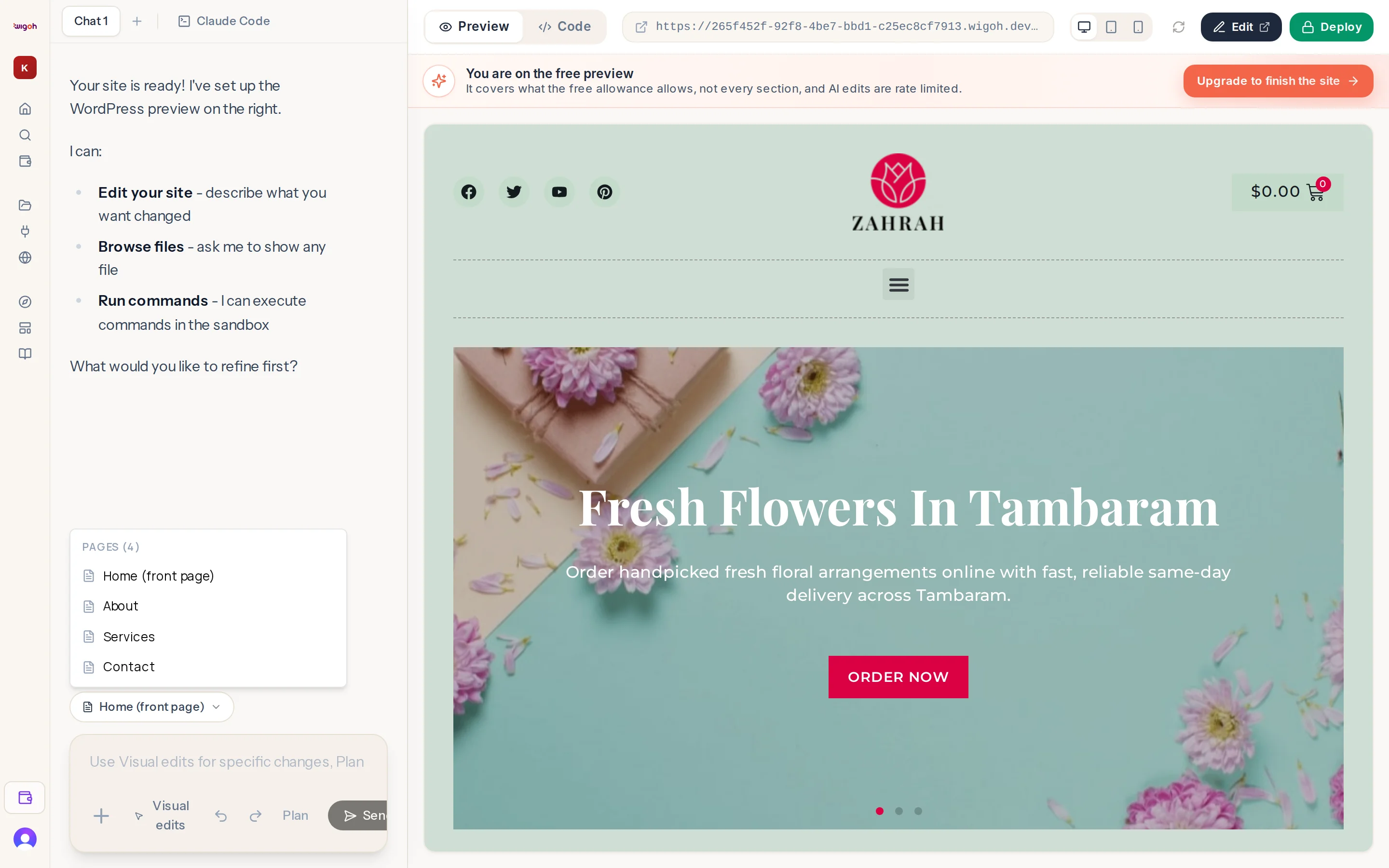
In the preview toolbar at the top of the right panel, next to the address bar, there is a button showing the name of the page the preview currently shows, for example Home (front page). Click it to open the switcher.
Groups
| Group | Contains |
|---|---|
| Pages | Every WordPress page. The front page is marked (front page). |
| Posts | Blog posts. |
| Products | Products, when the site has a store. |
| Theme templates | Header, Footer, Single post, Single page, Archive, Shop archive, Single product, Popup, 404 page, Search results. |
Each group shows its count, and drafts are marked with their status. Very long groups are cut at 60 rows; ask the assistant to find a page by name if it is not listed.
Two effects of choosing
- The preview moves to that page or template.
- The assistant is told which document your next message is about.
Editing the header or footer
Choose Header: … or Footer: … under Theme templates. The preview shows the template and your next request edits it. See Editing the header and footer.
When it shows "Pages" or "Loading pages"
The list is being read from the site. Open the switcher again in a moment.