Publish to my site
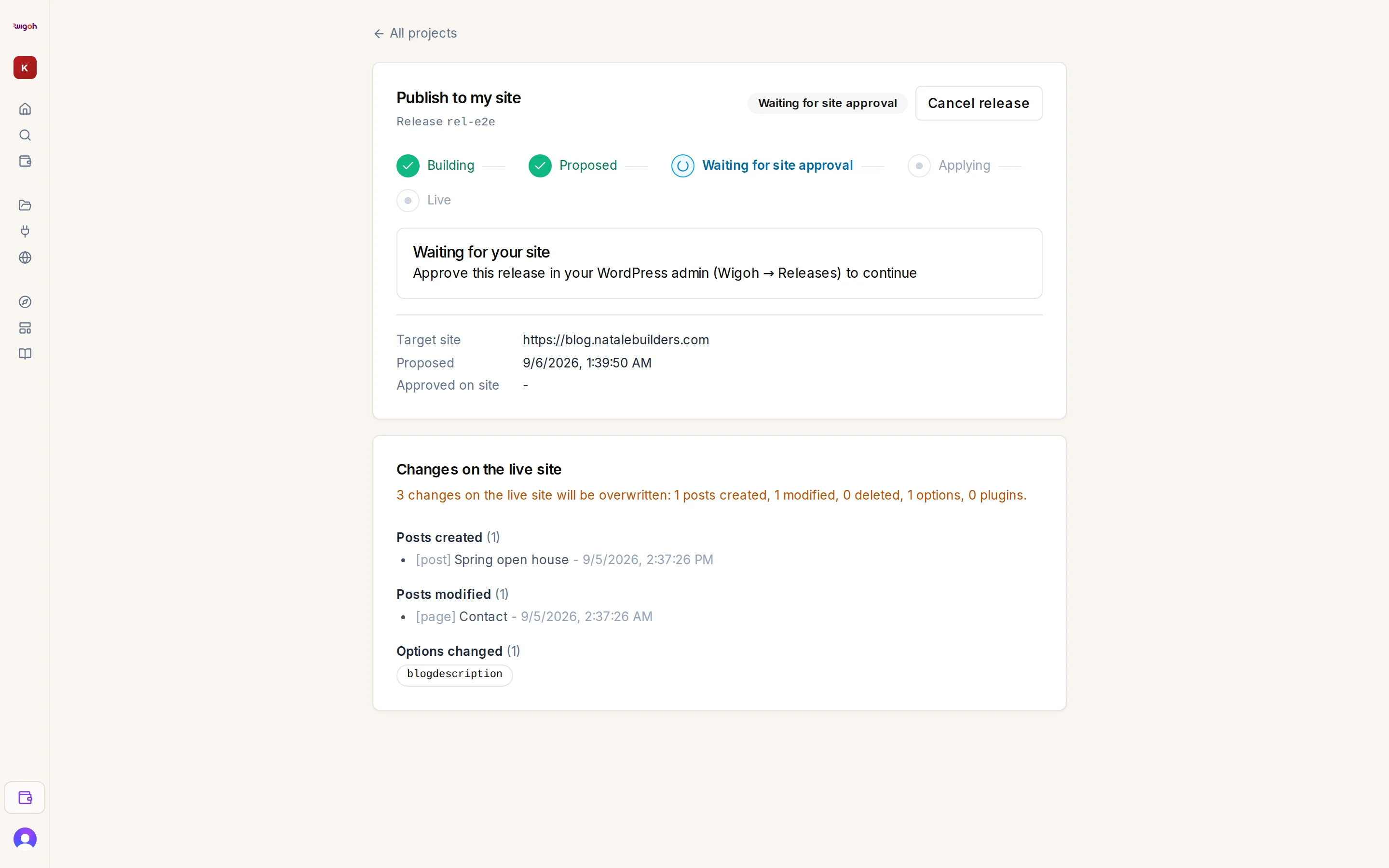
Press Publish to my site in the editor toolbar or on the project row in All projects. Wigoh creates a release and opens the Publish to my site page (/workspace/publish/…).
If a release is already running
A release is already in progress for this site. with a link View the existing release.
The release page
- A Release identifier and a status pill.
- A timeline: Building → Proposed → Waiting for site approval → Applying → Live.
- Cancel release while it is still cancellable, and Roll back while a live release is inside its window.
- A Waiting for your site notice when the plugin's approval is needed: Approve this release in your WordPress admin (Wigoh → Releases) to continue.
- Changes on the live site: the drift report.
- Facts: target site, proposed at, approved on site at.
The page refreshes itself every five seconds until the release reaches a final state.