The onboarding chat
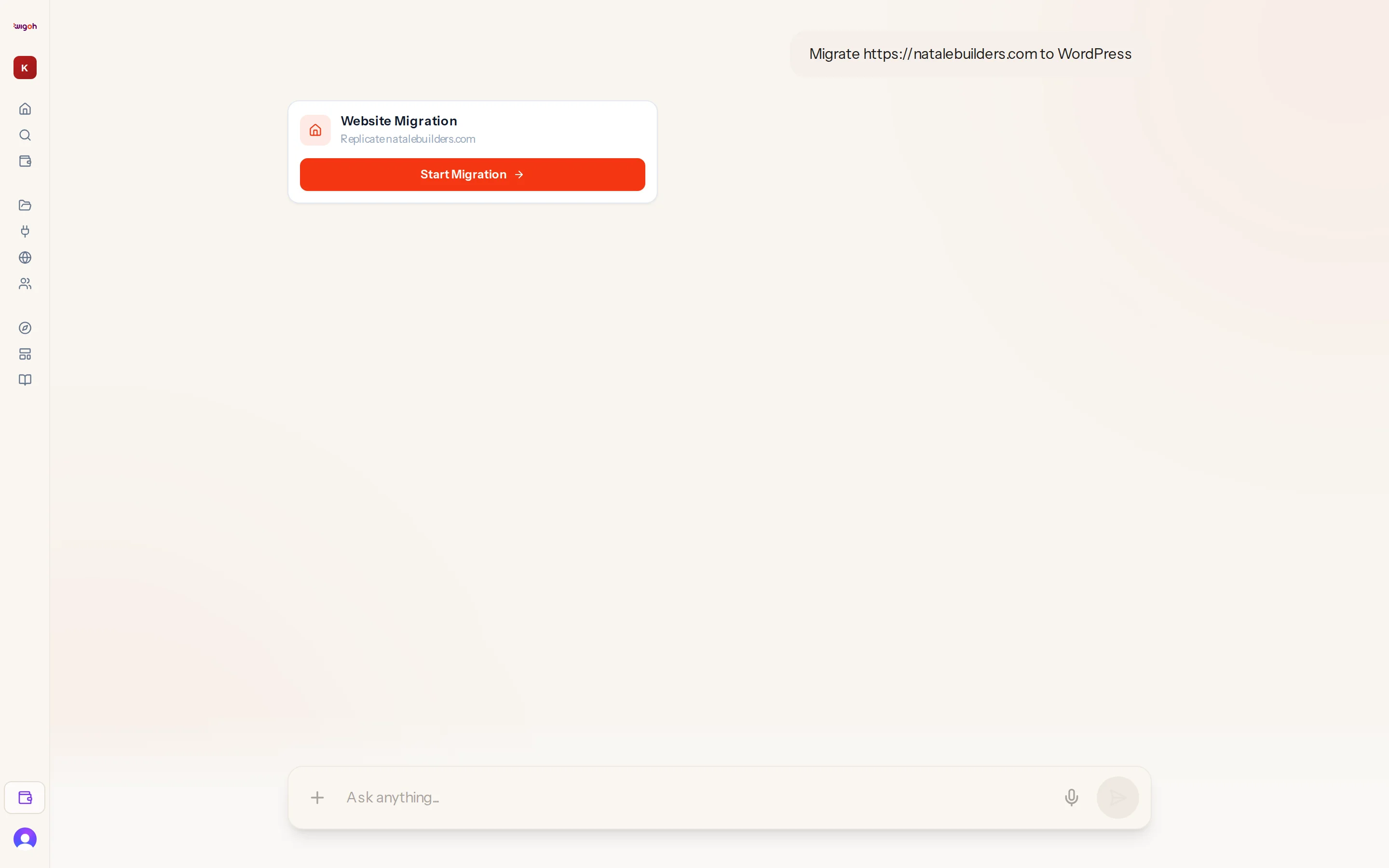
The onboarding chat is the app's home page, /. It is a single conversation that walks you from an idea to a running build.
Layout
- The chat fills the screen while you are deciding what to build.
- When a build starts and there is something to watch, the layout splits: the chat narrows to the left and the preview panel opens on the right.
- The layout stays full-width while you are choosing something (for example, picking a template), so the choice is not squeezed into a narrow column.
The message box
The box at the bottom reads Ask anything.... Press Enter to send; Shift+Enter adds a new line. Beneath the input box, a legal notice reminds you that AI-generated content may be inaccurate, prompting you to review generated copy, names, and contact details before publishing. While a build is running the box is disabled and reads Building your site....
What the assistant does
The assistant's only job on this screen is to understand you and start the right build. It:
- classifies your request as a migration, redesign or build;
- asks at most one short question when it cannot tell;
- shows a Website URL card when you want to migrate but did not include an address;
- can take a screenshot of your site and describe its design if you ask it to "look at" or "review" the site;
- asks before switching to a different website address if you mention one.
It never starts a build on its own. You always press a button on a card first.
Cards you may see
| Card | When |
|---|---|
| Website Migration / Redesign with Template / Build from Scratch with a confirm button | After the assistant has classified your request. |
| Website URL | The assistant needs an address. Type it and press the arrow. |
| Template picker | Redesign path, once matching templates are ready. |
| Progress checklist | While the build runs. |
| Welcome Back | When you return with an unfinished session. |
| Migration Restricted | The address cannot be used. See Blocked websites. |
Messages the assistant posts by itself
When a build completes or fails, the chat adds a line such as "Website cloned successfully! Your site is ready.", "Template installed successfully! Setting up your site...", "Sandbox ready — switching to AI builder..." or "Something went wrong while cloning the website. Please try again."