Managing DNS records
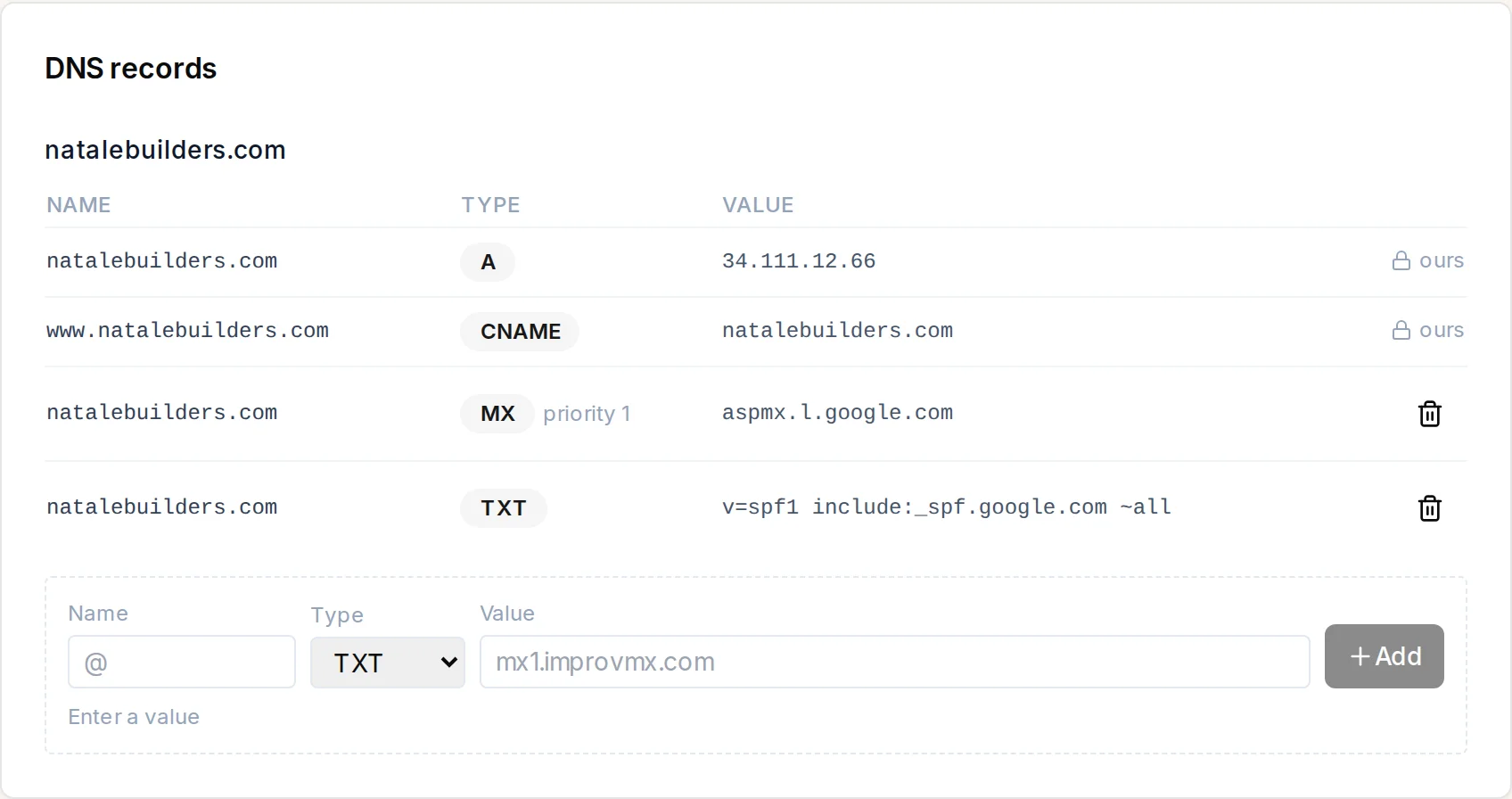
For domains bought through Wigoh, the DNS records card on the site's settings page is your DNS editor.
What it shows
One block per domain, with a table of records: Name, Type, Value, and an action column. Records that keep your site online are marked ours with a lock (This record keeps your site online. We look after it.) and cannot be removed.
Adding a record
Below the table:
- Name (leave blank or
@for the domain itself). - Type: A, AAAA, CNAME, MX, TXT, SRV or CAA.
- Priority appears for MX records.
- Value.
- Press Add.
The form tells you what is missing (Enter a value, MX records need a priority).
Removing a record
Press the bin icon on the row. Managed records cannot be removed.
Typical uses
- Email: add your provider's MX records and any TXT (SPF, DKIM) records.
- Verification: add a TXT record a service asked for.
- A subdomain pointing elsewhere: a CNAME or A record.
Domains not managed here
We do not manage the DNS for this site. Add records at the registrar your domain uses. appears when the site's domain was not bought through Wigoh.